Your 2FA codes.
On your Mac.One click. Done.
A macOS authenticator for people who type 2FA codes 20 times a day, and want those minutes back.
macOS 14+ · $5/month or $40/year · 3-day free trial
Sound familiar?
The daily routine of anyone who works with more than three services.
10:00 AM – Check Notion workspace. Code please.
Pick up phone. Unlock. Open authenticator. Find the right account. Squint at the tiny numbers. Type them in. Wrong – it just expired. Start over.
10:15 AM – Open Figma project. Code please.
Phone again. Same dance. 30-second countdown. Fumble. Miss it by 2 seconds. Wait for the next one.
10:30 AM – Log into WordPress admin. Code please.
Your phone is charging in the other room. Walk there. Walk back. For a CMS you check 8 times a day.
10:45 AM – Discord server settings. Code please.
You start to question whether two-factor authentication was really designed for people who actually work.
You do this 20 times a day.
Every. Single. Day.
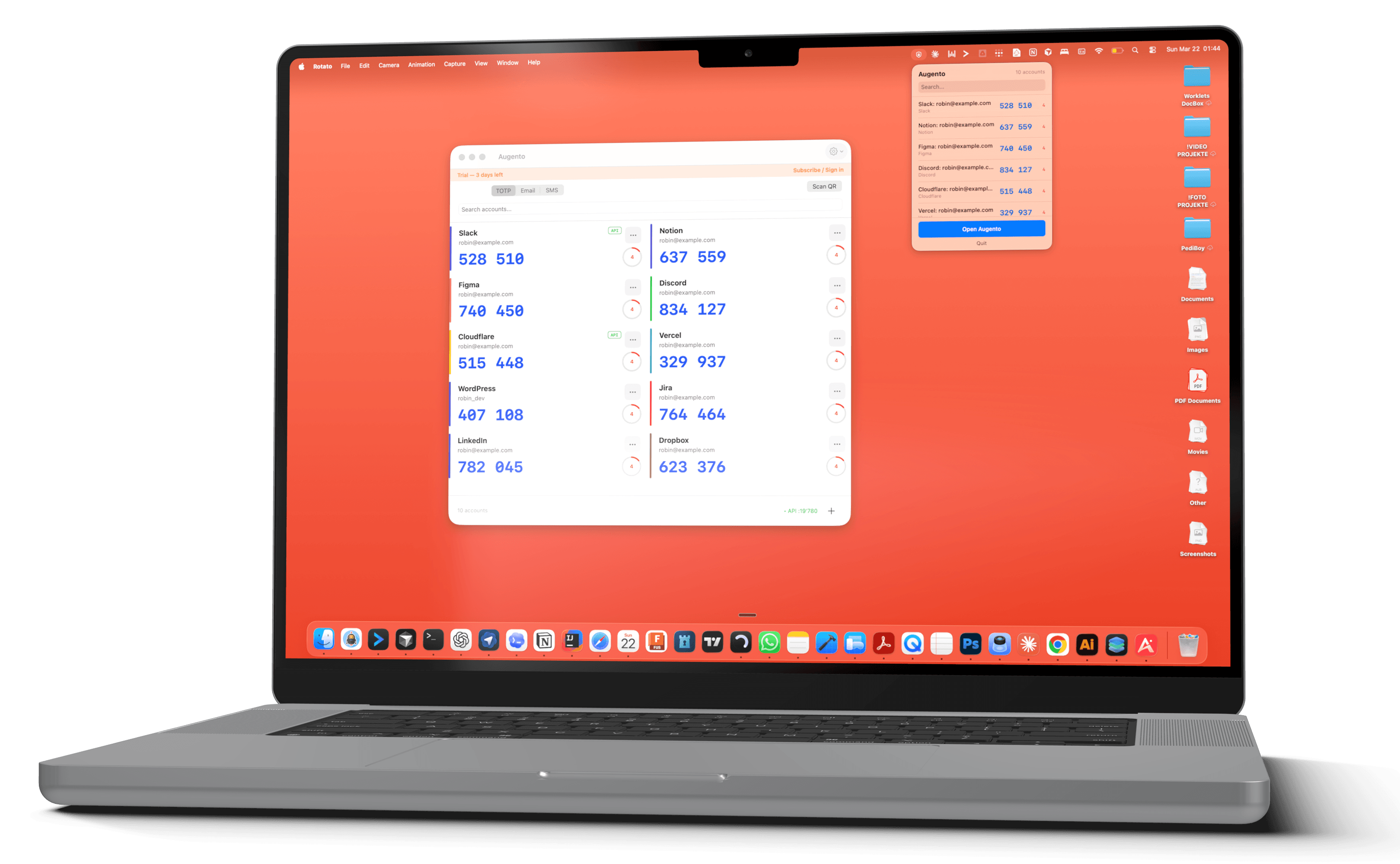
Augento puts your TOTP codes on the device you're already working on. One click. Copied. Done.
The 2FA reality check
74%
of organizations using 2FA
face user complaints
33%
of users skip 2FA entirely
because it's too annoying
30 sec
to grab your phone, find the code,
and type it before it expires
It's not just you.
Real stories from real people. 2FA is a universal time sink.
“I open Outlook. Code please. I open Teams. Code please. I open SharePoint. CODE PLEASE. It's been 11 minutes and I have entered six-digit numbers four times. I have not read a single email.”

Sarah M.
about Microsoft 365
“I just want to play Fortnite with my kid. Every single time it asks me for a code from an app I installed two phones ago. I don't even know what an authenticator is. I just want to build a fort.”

Jake T.
about Epic Games
“Password. Then they email me a code. Then they TEXT me another code. Three steps to check my invoices. I do this five days a week. I have entered approximately 4,000 six-digit numbers this year.”

Linda K.
about QuickBooks
“I typed the code in. It was wrong. No wait, it expired while I was typing. New code. I start typing again. My cat bumps my hand. Wrong. Third code. I look at my phone. 29 seconds left. I type fast. 'Invalid code.' I close my laptop.”

Tom R.
about work logins
“My phone was charging in the bedroom. I walked there. Opened the authenticator. Walked back to my desk. The code had expired. I walked back. Got a new code. Walked to my desk. Expired again. I now keep a folding chair next to the outlet.”

Priya S.
on Reddit
“I wanted to change my Discord profile picture. It asked for my authenticator code. To change a PROFILE PICTURE. I stared at it for so long my screen went to sleep and I had to log in again. With another code.”

Marcus D.
about Discord
Effortlessly simple.
No cloud sync. No bloat. Just your codes, on your Mac, instantly.
One-click copy
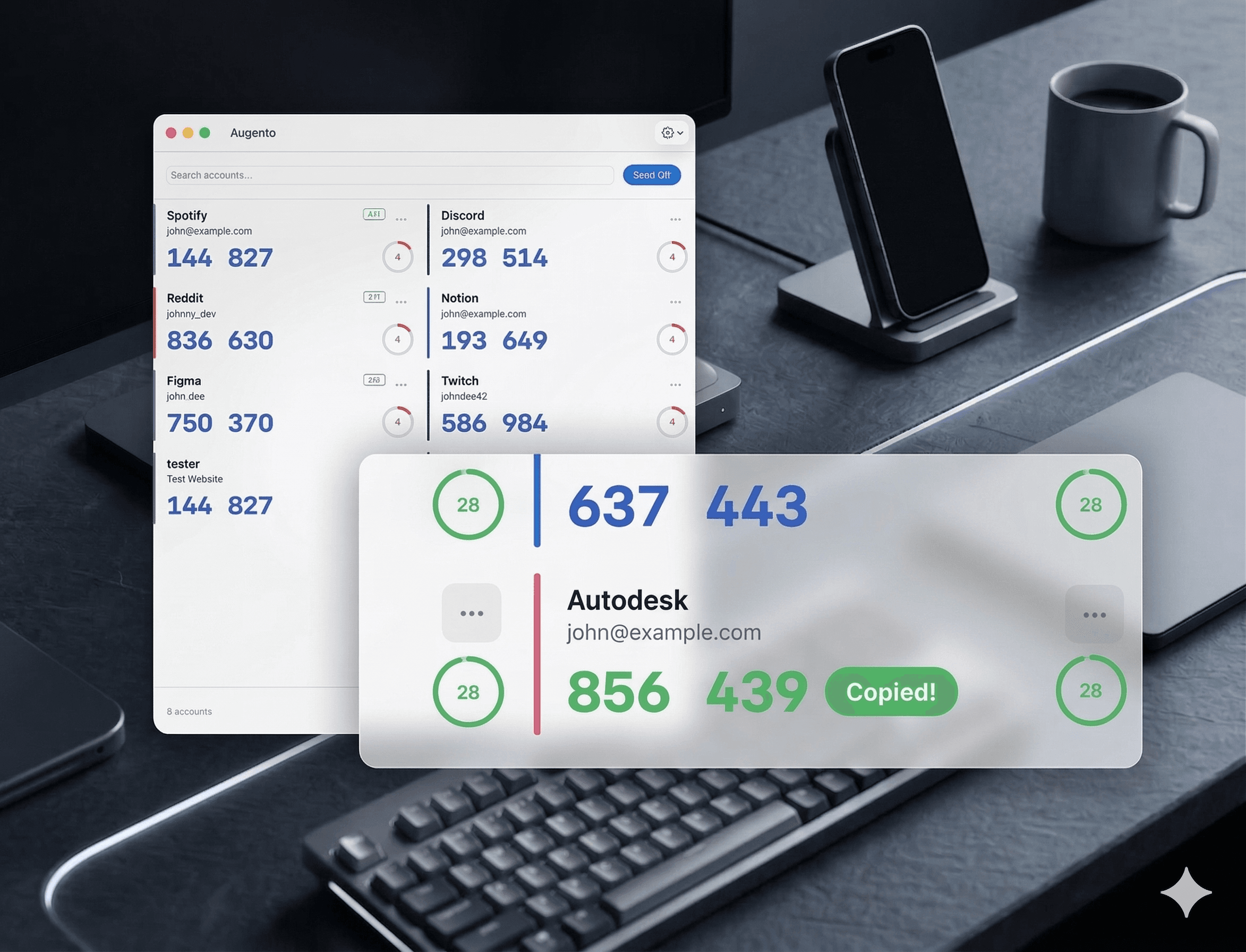
Click any code. It's in your clipboard. Green flash confirms. Two seconds, start to finish.
Built for AI agents
Local HTTP API and MCP server. Your agents call one endpoint or connect via MCP and get the code. No human needed.
QR scan from screen
No camera needed. Select the QR code on your screen and the account is added instantly.
Zero cloud
Keys in Keychain. Everything stays on your Mac. Nothing phones home. Ever.
Export & import
Encrypted backup with AES-256. Move your accounts to a new Mac without re-scanning every QR code.
4.7 MB. That's it.
Native Swift. No Electron. No web view. No 200 MB runtime for an app that shows six numbers.
Right where you need it.
Not everything needs Fort Knox – and for everything else, there's Augento. Two seconds instead of thirty – twenty times a day, every day. That's hours of your life back.
Why desktop 2FA makes sense.
It's a pragmatic trade-off. Here's the thinking.
Your phone isn't always next to you
Charging in the kitchen. In your bag. On silent in the other room. But you need that code NOW.
Your AI agent can't tap a phone
Agents automate browser workflows. They hit 2FA. They stop. Augento gives them an API to keep going.
Not everything needs Fort Knox
That Jira board. That analytics dashboard. That staging environment. 20 logins a day, all demanding 2FA for zero reason.
You trust your Mac already
Your passwords are in Keychain. Your credit cards in Safari. Your entire digital life is on this device.
33% skip it entirely
A third of users turn off 2FA because it's too inconvenient. Augento keeps 2FA on, just without the friction.
It's better to have desktop 2FA than no 2FA at all.
The most secure authentication is the one you actually use.
Frequently asked.
Everything you need to know about Augento.
What even is TOTP / 2FA?+
Is this less secure than using my phone?+
What happens if my Mac is stolen?+
How much does it cost?+
Can I switch plans or cancel?+
Which services work with Augento?+
Can I use it alongside my phone authenticator?+
Is there any cloud sync?+
What about the API and MCP server?+
Is there a free trial?+

Ready to automate?
4.7 MB · macOS 14+ · Cancel anytime